_edi.png)

Inbound leads arrive with intent. Someone filled a demo form, downloaded a guide, or asked to speak with sales. The problem is that many companies still rely on manual assignment or unclear ownership rules, so these leads sit in the CRM waiting for someone to claim them. That delay has real consequences.
Research published in Harvard Business Review shows companies that respond to leads within an hour are seven times more likely to qualify them than those that wait longer.
As startups grow, lead volume often increases faster than the sales team’s ability to distribute opportunities correctly. Without structured lead routing, prospects get delayed, misassigned, or contacted by the wrong rep.
This guide explains what lead routing means, the most common routing strategies sales teams use, best practices for scaling routing systems, and the mistakes revenue teams should avoid.
Key Takeaways
- Lead routing automatically assigns inbound prospects to the right sales rep based on rules such as territory, company size, account ownership, or product interest.
- Fast routing directly affects revenue outcomes. When leads reach the correct rep quickly, response time improves, and sales teams capture more opportunities.
- Clear sales roles make routing work. Defined responsibilities across SDRs, AEs, managers, and RevOps prevent misassignment and stalled leads.
- Scalable routing frameworks rely on CRM automation, qualification rules, and performance tracking, such as speed to lead and rep conversion rates.
- Sales coverage matters as much as routing logic. Startups often add experienced SDRs, AEs, or fractional leaders to handle routed opportunities effectively.
What Is Lead Routing in Sales?
Lead routing is the process of assigning inbound prospects to the most appropriate sales rep based on predefined rules within a CRM. These rules typically evaluate attributes such as territory, industry, product interest, account ownership, or deal size before assigning the opportunity to a rep.
The objective is simple. Every lead should be assigned to the person most capable of converting it. This reduces response delays and prevents ownership confusion inside the pipeline.
Speed is a major reason routing matters. In fact, an MIT study found that responding to a lead within five minutes makes teams 21 times more likely to qualify that lead compared with responding 30 minutes later.
Without structured routing, sales teams depend on manual lead assignment. Leads sit unclaimed in the CRM or get assigned to the wrong owner. Routing removes this friction by directing each opportunity instantly.
Where Lead Routing Fits in the Sales Process
Lead routing usually happens after basic qualification or scoring. At that stage, the system has enough data to decide who should handle the opportunity.
A simplified inbound pipeline looks like this:
This structure prevents unqualified prospects from reaching closing reps while high-intent leads move quickly to the right owner.
Why Lead Routing Matters More as Sales Teams Grow
Lead routing becomes critical once companies generate leads from multiple channels, such as product signups, paid campaigns, webinars, and outbound programs. Each channel produces prospects with different intent levels and ownership requirements.
Without routing rules, sales teams encounter operational problems that slow revenue generation.
Common outcomes include:
- Leads sitting unassigned inside the CRM
- Prospects contacted by the wrong territory owner
- Duplicate outreach from multiple reps
- High-value opportunities are routed to junior reps
Structured routing improves three operational areas:
As startups scale their GTM motion, routing rules must match the sales coverage model. Territory ownership, product specialization, and account-based selling often require different routing logic.
Strong routing systems only work when experienced reps can act on those leads immediately. Many startups use Activated Scale to bring in vetted US-based SDRs, AEs, and fractional sales leaders who can step into an existing pipeline and handle routed opportunities without long hiring cycles.
Also Read: How to Implement Predictive Sales Analytics for Forecasting
Common Lead Routing Strategies Used by Sales Teams
Different companies use different routing models depending on their sales structure. Most CRMs support rule-based automation that evaluates multiple attributes before assigning a lead.
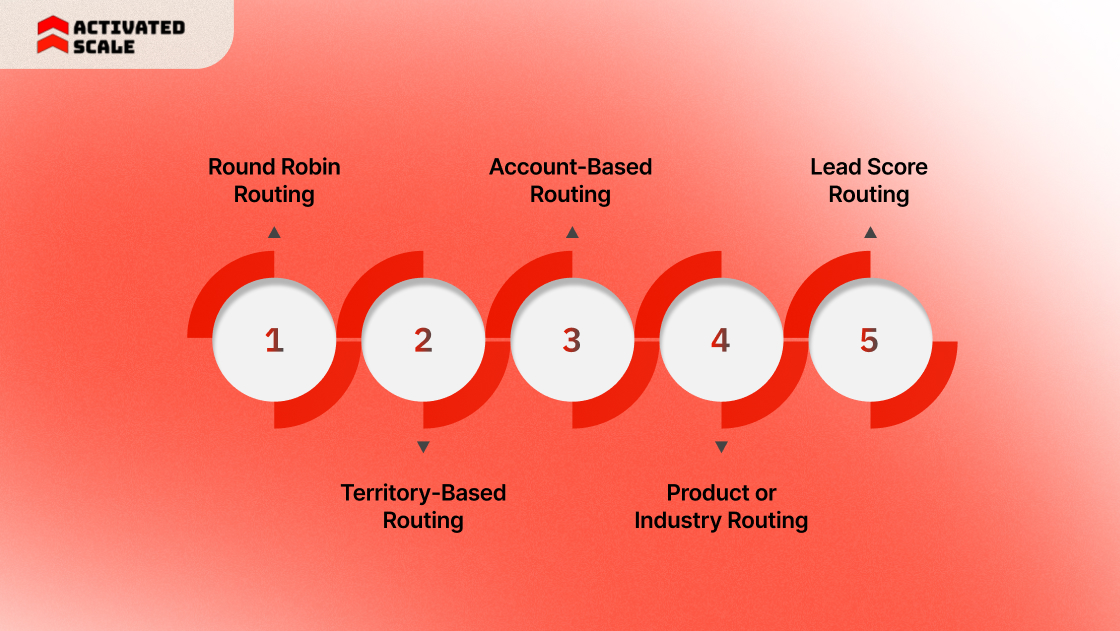
Below are the most widely used routing approaches in B2B sales teams.
1. Round Robin Routing
Round-robin distributes leads sequentially among available reps. Each new lead goes to the next rep in the rotation.
This method keeps the distribution balanced and prevents any one rep from receiving a disproportionate share of inbound opportunities.
Round robin works best when all reps sell the same product and handle similar deal sizes.
2. Territory-Based Routing
Territory routing assigns leads according to geographic coverage. Each rep owns a specific region or market segment.
This model is common in enterprise sales, where regional knowledge and time-zone alignment improve engagement.
3. Account-Based Routing
Account-based routing prioritizes account ownership. If a company already exists in the CRM, new leads from that organization route directly to the assigned account owner.
This approach prevents multiple reps from contacting the same company and preserves continuity of relationships across deals.
4. Product or Industry Routing
Some companies assign leads based on product line or industry expertise.
Example:
Specialization improves conversation quality when products require deep technical knowledge.
5. Lead Score Routing
Lead score routing prioritizes prospects with strong buying signals.
Example routing structure:
This model ensures that high-value opportunities reach closing reps immediately while early-stage prospects enter qualification workflows.
Also Read: Designing AI Strategy for Sales and Marketing Impact
Lead Routing Best Practices That Improve Conversion Rates
Sales teams often focus on generating leads but overlook the system that assigns them. The transfer from marketing to sales is one of the most common breakdown points in the revenue process. When routing rules are unclear or delayed, leads sit idle or reach the wrong owner.
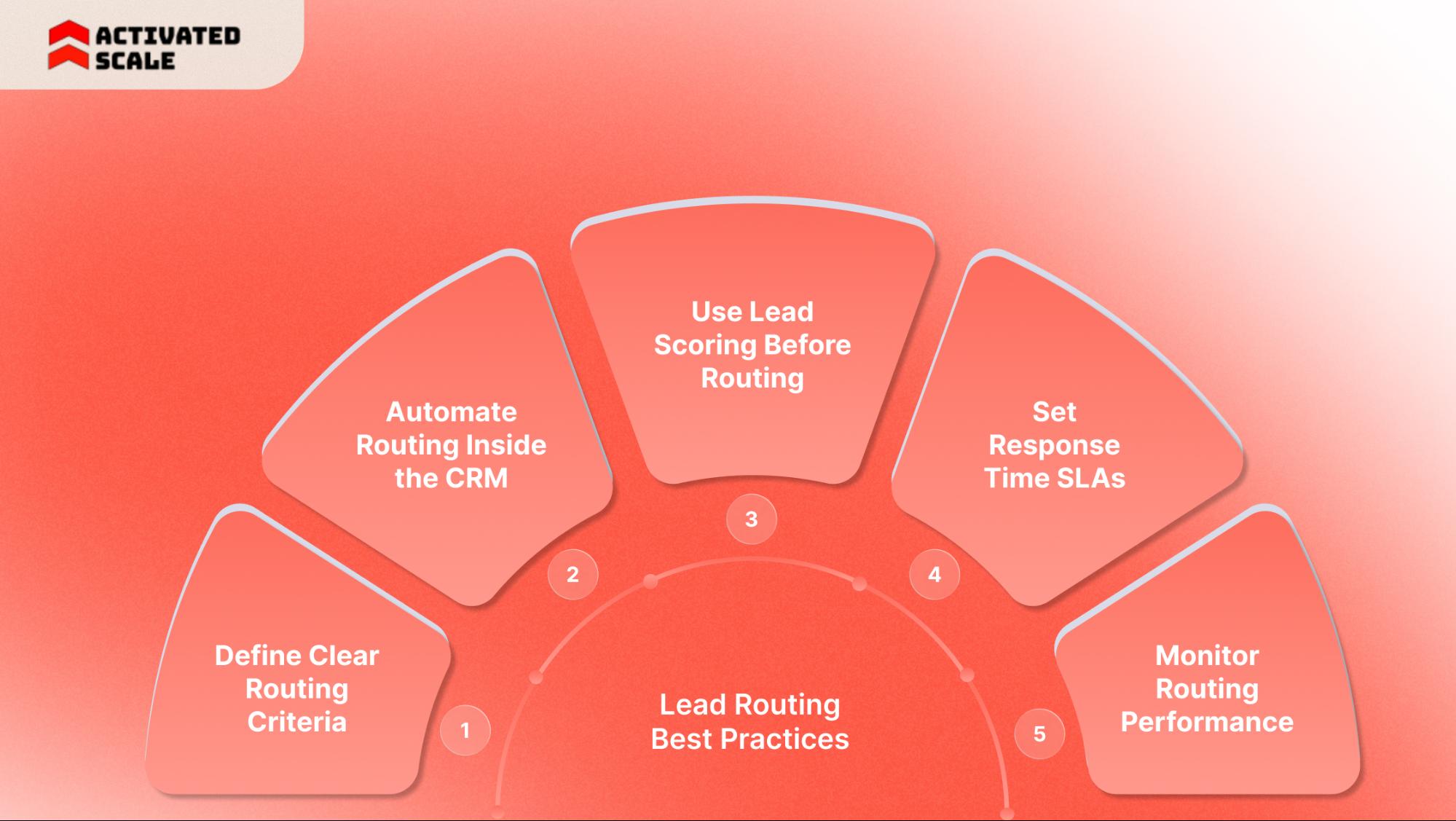
Strong routing systems reduce lead leakage, improve response time, and help sales teams prioritize the opportunities most likely to convert.
Define Clear Routing Criteria
Routing rules must reflect how the sales organization actually sells. Basic assignments based on alphabetical order or manual queues rarely work once the pipeline grows.
Sales teams usually build routing criteria around:
- Geographic territory
- Industry segment
- Product interest
- Company size or deal value
- Existing account ownership
Modern CRM systems can automatically evaluate these attributes and assign leads instantly, eliminating manual sorting and reducing assignment errors.
Example:
A SaaS company selling analytics software may route leads like this:
This ensures the first sales conversation matches the complexity of the opportunity.
Automate Routing Inside the CRM
Manual lead assignment slows response time and creates inconsistencies. Automated routing distributes leads as soon as they enter the system.
Automation typically connects:
- Website forms
- Chatbots
- Event registration
- Marketing automation tools
Once the lead enters the CRM, routing rules automatically assign it to a rep. This eliminates the need for spreadsheets or email-based distribution, which often delays follow-up.
Automation also allows more advanced logic. Leads can be routed based on rep availability, historical performance, or deal specialization.
Use Lead Scoring Before Routing
Not every inbound lead deserves immediate sales attention. Lead scoring helps teams prioritize high-intent prospects before routing them to closing reps.
Lead scoring evaluates signals such as:
- Job title
- Company size
- Product page visits
- Demo requests
- Engagement with marketing content
Once a lead crosses a predefined score threshold, the CRM triggers routing rules and assigns it to the appropriate rep.
Example scoring workflow:
This prevents sales teams from spending time on early-stage prospects.
Set Response Time SLAs
Speed determines whether a lead converts or disappears. Many companies implement service level agreements that define how quickly sales must respond to new leads.
Common SLAs include:
- SDR contact within 5 minutes for demo requests.
- Same-day outreach for inbound content leads.
- Automated reminders if no response occurs.
Monitor Routing Performance
Routing rules should evolve with the business. Sales leaders regularly review routing performance to detect bottlenecks.
Key metrics to monitor include:
CRM analytics helps teams adjust rules when territories change or new products launch.
What Breaks Lead Routing in Growing Sales Teams
Routing rarely fails because of software. It fails because of process gaps, poor data quality, or unclear ownership.
When sales teams grow beyond a few reps, routing becomes a central part of the revenue engine.
Below are the most common breakdown points:
Poor CRM Data Quality
Routing rules rely on clean lead data. If fields such as company size, industry, or location are incomplete, the system cannot assign leads correctly.
Typical data issues include:
- Missing company information
- Inconsistent job titles
- Duplicate accounts
- Outdated contact records
These gaps cause leads to be misrouted or stuck in routing queues.
Example:
A healthcare lead without an industry field may get assigned to a generic SDR instead of a healthcare specialist.
Overly Complex Routing Logic
As companies scale, routing rules often become layered with exceptions and conditional logic.
Examples include:
- Territory overrides
- Account ownership rules
- Industry-based specialization
- Partner-sourced leads
Complex logic increases the risk of routing errors or conflicting rules.
Best practice:
Sales operations teams should document routing logic visually and review it regularly.
Misalignment Between Marketing and Sales
Marketing generates leads based on campaign targeting. Sales teams often organize territories differently.
This misalignment creates confusion during handoffs.
Example scenario
If routing rules do not match these ownership structures, leads move through multiple reassignment steps.
Lack of Sales Coverage
Routing systems assume qualified reps are available to handle incoming leads. Many startups implement routing logic before building a structured sales team.
This creates a mismatch.
Example:
- Marketing generates enterprise leads
- Routing assigns them to an AE
- No enterprise AE is available
The lead sits unworked despite correct routing logic.
This is where many early-stage companies struggle. They need experienced sales talent but are not ready for full-time hires.
Many startups address this gap by bringing in experienced US-based SDRs and AEs through platforms like Activated Scale. Instead of delaying inbound opportunities while hiring, companies can plug vetted sales professionals into their pipeline immediately and handle routed leads without long recruitment cycles.
Slow Follow-Up After Routing
Routing alone does not guarantee engagement. If reps ignore assigned leads, the opportunity still disappears.
Sales leaders often track follow-up compliance through CRM alerts and automated reminders.
A simple rule many companies adopt:
- Lead assigned
- Rep notified instantly
- Follow-up required within the defined SLA window
This structure keeps routing connected to actual revenue activity.
How Sales Team Structure Impacts Lead Routing Success
Lead routing works only when ownership is clear before the lead enters the CRM. Routing rules can assign a record in seconds, but they cannot fix role confusion, overlapping territories, or missing coverage.
HubSpot’s lead routing guidance stresses that teams need defined territories and organized CRM data before automation can work reliably.
A simple sales structure usually looks like this:
Why role clarity matters
When SDRs, AEs, and RevOps each own a specific part of the handoff, routing becomes operational instead of theoretical. The CRM knows where to send the lead. The rep knows what to do next. The manager knows what to measure.
Common failure points show up fast:
- SDRs and AEs both assume the other team owns inbound follow-up.
- Enterprise leads reach junior reps with no experience in that segment.
- Existing account leads go to net new reps instead of the account owner.
- RevOps builds routing rules that do not match actual sales coverage.
How to Build a Scalable Lead Routing Framework
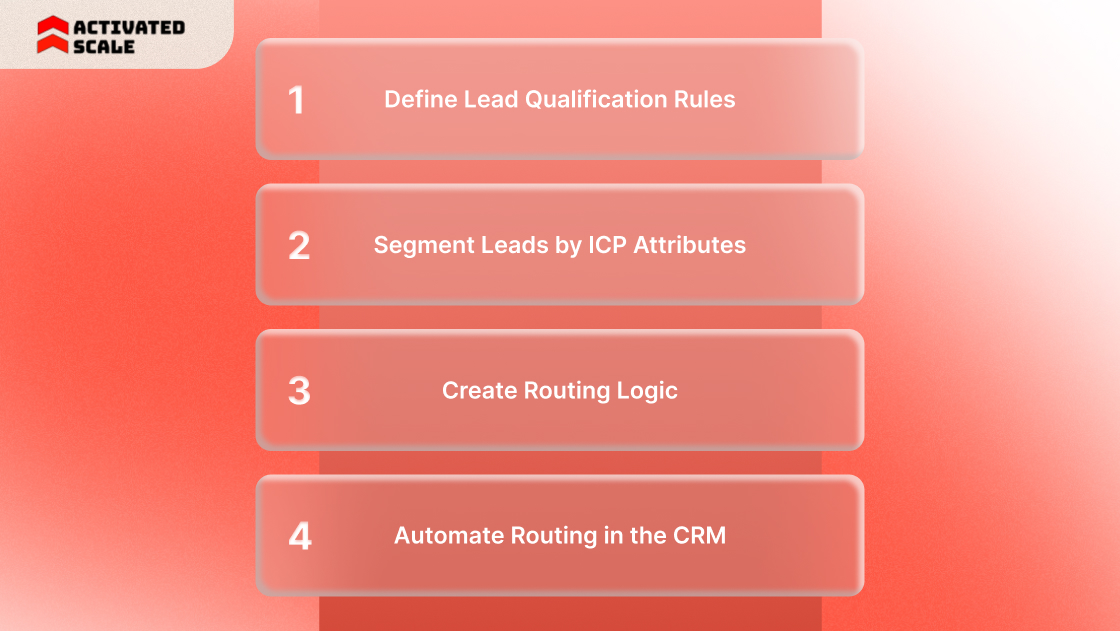
A scalable routing framework starts with sales design, then moves into automation. Most lead routing framework recommends defining territories first, organizing CRM data around those definitions, and then automating assignment logic.
Step 1. Define lead qualification rules
Routing should not start with every form fill. It should start with qualified demand. Decide what makes a lead sales-ready.
Qualification rules often include:
- Company size
- Geography
- Product interest
- Existing account status
- Demo request or pricing page intent
This keeps low-fit, or low-intent leads out of AE queues.
Step 2. Segment leads by ICP attributes
Once the qualification is defined, group leads by the fields that actually change ownership. This is where routing becomes useful instead of messy.
A clean segmentation model may look like this:
Each segment should answer one question: who should own this lead first?
Step 3. Create routing logic
Routing logic should reflect the actual sales motion, not an idealized org chart. Calendly explains that automated lead routing uses rules set in a CRM or third-party tool to match leads with the right reps or queues.
A strong logic sequence often follows this order:
- Check for existing account ownership first.
- Check the territory second.
- Check the segment or specialization third.
- Use round-robin only within the correct rep pool.
That order matters. You do not want a healthcare enterprise lead to hit a generic round robin queue before the system checks for vertical ownership.
Step 4. Automate routing in the CRM
Once the rules are stable, automate them. Salesforce documents round robin lead assignment as a rotating method where each new lead goes to a different user until all users have received the same number, and the cycle repeats.
Automation should connect to your core lead sources:
- Demo forms
- Contact forms
- Chat
- Event and webinar registrations
- Product sign-up flows
This reduces lag between lead capture and first action.
Step 5. Track the right operating metrics
Routing should be measured like any other revenue process. The most useful metrics are the ones that show whether assigned leads actually move.
Track these closely:
Lead Routing Tools and Automation Platforms
Most teams do not need the same kind of routing stack. The right setup depends on CRM complexity, territory design, and sales specialization.
CRM routing workflows
Native CRM workflows work well for basic routing. They usually handle form capture, assignment rules, simple territory logic, and ownership updates.
Good fit for:
- Small teams
- Single product sales motions
- Clean territories
- Limited exceptions
HubSpot’s current lead routing automation guidance focuses on using automatic routing to manage multi-product environments and real-time assignment logic inside the CRM.
RevOps automation tools
RevOps tools are useful when routing rules become more layered. LeanData and LeadAngel both position their products around routing, ownership, handoffs, and SLA management for more complex revenue teams.
These tools are stronger when you need:
- Account matching before assignment.
- Territory plus round robin logic.
- Handoff controls across SDR and AE teams.
- Queue management.
- SLA alerts and time-based actions.
AI-based routing engines
AI routing engines assign leads based on multiple signals rather than simple rules. They evaluate engagement data, buying intent, and predictive scoring to prioritize the right opportunities.
Tools such as Salesforce Einstein Lead Scoring and 6sense analyze buyer activity and intent signals to route high-value leads to the most relevant sales rep.
A simple way to understand the lead routing stack:
Lead Routing vs Lead Distribution vs Lead Assignment
These terms often get used interchangeably, but they are not exactly the same. Calendly notes that many teams treat them as near-synonyms in practice, though the workflow differences still matter.
The practical difference
Lead distribution answers, “Who gets the next lead?”
Lead routing answers, “Who should own this specific lead?”
Lead assignment is the umbrella term that covers both.
That distinction becomes useful once teams start selling across territories, products, or account types. A round robin queue may distribute leads evenly. A routing model checks whether the lead belongs in that queue in the first place.
Filling Sales Coverage Gaps Without Slowing Lead Response
Lead routing only works when qualified reps are available to act on assigned leads quickly. Many startups build routing rules before they have enough SDRs or AEs to handle inbound demand. The result is simple. Leads reach the correct owner in the CRM, but still wait for follow-up.
Platforms like Activated Scale help companies add experienced US-based sales talent without committing to full-time hires early.
Key ways teams use this model include:
Contract to Hire Sales Recruiting: Hire vetted sales professionals on a trial basis before offering a full-time role.
Fractional SDR and AE Support: Add SDRs to qualify leads and AEs to run demos and close deals as the pipeline grows.
Fractional Sales Leadership: Bring in experienced sales leaders to build territory structures, routing rules, and GTM playbooks.
Conclusion
Effective lead routing turns inbound interest into real pipeline movement. Clear ownership rules, clean CRM data, and fast response processes keep leads from sitting idle or bouncing between reps. As companies expand campaigns, products, and territories, routing logic must evolve with the sales structure. Teams that regularly review routing rules, response times, and rep coverage maintain stronger pipeline flow and fewer missed opportunities.
Many startups discover that routing systems fail when there are not enough experienced reps to act on assigned leads. Activated Scale helps startups access vetted US-based SDRs, AEs, and fractional sales leaders who can step into existing GTM motions and start working on qualified opportunities immediately.
FAQs
Q: What is the difference between lead routing and territory management in sales?
A: Territory management defines which sales rep owns a geographic region or market segment. Lead routing applies those ownership rules automatically when a new prospect enters the CRM. Territory design sets the structure, while routing executes the assignment process.
Q: How often should companies review their lead routing rules?
A: Most revenue operations teams review routing logic quarterly or after major GTM changes such as new products, territory adjustments, or headcount expansion. Frequent reviews help detect routing conflicts and ensure the rules match current sales coverage.
Q: Can lead routing work effectively for outbound sales teams?
A: Yes. Outbound teams also use routing logic to assign target accounts or responses from cold outreach campaigns. When prospects reply to outbound messages, routing systems can automatically direct those responses to the correct SDR or AE.
Q: What CRM data fields are most important for accurate lead routing?
A: The most important fields usually include company size, location, industry, product interest, and existing account ownership. These attributes allow routing systems to match leads with reps who specialize in specific markets or segments.
Q: How do companies prevent duplicate outreach after routing?
A: Many CRMs use lead-to-account matching and account ownership rules to prevent duplicate outreach. When a lead belongs to an existing customer account, routing sends it directly to the current account owner rather than a new rep.
The Ultimate Guide to Hiring a Salesperson!
Get the step-by-step guide to hiring, onboarding, and ensuring success!