_edi.png)

Startups making cold calls have a very short time to either create momentum or lose the opportunity entirely. Many founders see healthy pipeline numbers but struggle with low meeting conversions or deals that stall unexpectedly. The issue is often not lead quality.
It is inconsistent sales conversations. When each rep explains the product differently, outcomes become unpredictable. Sales scripts solve this by giving teams a clear structure for critical conversations. They help reps ask better questions, handle objections with confidence, and move deals forward.
This guide explains the sales scripts SaaS startups need, how to improve them, and how to execute them effectively as the team grows.
Core Insights
- Sales Scripts Bring Consistency to Every Prospect Conversation: Structured scripts help reps handle outreach, discovery, objections, and closing with clear messaging, which improves conversion rates and reduces variability across the sales team.
- Each Stage of the SaaS Sales Cycle Requires A Different Script: Cold calls earn attention, discovery uncovers business problems, demos build confidence, and negotiation addresses risk. Using the right script at each stage helps deals progress more smoothly.
- Scripts Help Startups Scale Sales Without Losing Message Quality: As startups hire SDRs and AEs, scripts ensure every rep communicates value clearly. This improves ramp time, maintains message clarity, and supports predictable pipeline growth.
- Well-Designed Scripts Focus on Customer Problems, Not Product Pitches: Scripts that prioritize discovery questions and business impact build trust and engagement, making prospects more likely to continue conversations and evaluate solutions seriously.
- Training And Continuous Improvement Make Scripts More Effective Over Time: Teams that regularly refine scripts based on real conversations, objections, and conversion data improve performance and create more reliable sales outcomes.
What Are Sales Scripts And Why Do They Matter For Startups
Sales scripts are structured conversation guides that help sales reps communicate clearly with prospects. They include key questions, responses, and positioning points for different stages of the sales process. Reps do not read them word for word. Instead, they use them to stay focused and consistent during conversations.
For startups, scripts solve a common problem: inconsistent messaging. When reps explain the product differently, prospects receive mixed signals. This reduces trust and lowers conversion rates. Scripts ensure every prospect hears a clear and relevant message.
Sales scripts help startups improve performance in several ways:
- Improve conversion rates: Reps ask better questions and handle objections with confidence
- Reduce ramp time: New hires learn faster because they follow proven conversation structures
- Increase consistency: Every lead receives a similar quality of sales experience
- Improve forecasting: Consistent conversations produce more predictable pipeline outcomes
Scripts are especially important between the Seed and Series B stages. At this point, startups begin hiring SDRs and AEs to scale outreach. Without scripts, performance varies widely between reps.
Many startups use platforms like Activated Scale to bring in experienced SDRs and AEs; these are pre-vetted, US-based sales talent who already know how to use structured scripts effectively. This helps teams improve conversion faster while leadership focuses on growth.
To see where scripts have the most impact, it is important to understand how they fit across the sales funnel.
Also Read: How to Find a CFO for Your Company in 2026?
20 Sales Templates for Every Stage in the SaaS Sales Cycle
Sales conversations change significantly as a deal progresses. The first cold call focuses on earning attention, while discovery calls uncover priorities, demos build conviction, and negotiation calls address risk and investment.
Each stage requires a different structure, different questions, and a different objective. Using the same approach everywhere often leads to missed information, unresolved objections, or stalled decisions.
The following templates are designed to match the specific goal of each stage in the SaaS sales cycle:
1. First Cold Call Script
This script helps start conversations with new SaaS prospects by focusing on relevance and curiosity instead of pitching too early. The goal is to earn attention, understand their current approach, and open the door for a deeper discussion.
Call Script:
“Hi [Name], this is [Your Name] from [Company].
I know I’m calling unexpectedly, do you have 30 seconds so I can explain why I reached out?”
“We help SaaS teams improve [specific outcome, e.g., outbound conversion].
Curious, how is that performing at [Company] right now?”
If they respond:
“What’s been the biggest challenge there?”
“Got it. That’s exactly what I was hoping to learn.
Would it be worth a quick 20-minute conversation to see if this could help?”
If they say “Not interested.”
“No worries. Is that because of timing, priority, or already solved?
Email Template:
Subject: [Name], quick question about your outbound
Hi [Name],
I came across [Company] and noticed your team is currently [trigger event, e.g., hiring SDRs or expanding into new markets].
Many SaaS teams at this stage run into challenges with [specific problem, e.g., maintaining consistent outbound conversion as the team grows].
Curious how you’re currently handling this?
If it makes sense, I’d be happy to share what’s working for similar teams and see if it’s relevant for you.
Best,
[Your Name]
Why this email works: This email works because it is specific to the prospect’s situation and avoids a generic pitch. It creates curiosity, shows relevance, and asks a simple question, which makes it easier for the prospect to respond and start a conversation.
2. Cold Call Full Conversation Script
This script guides the complete flow of an outbound cold call, from earning permission to identifying challenges and building interest in the next step. The goal is to help the prospect evaluate their current outbound performance and surface gaps through their own responses.
Email Template:
Subject: [Name], quick follow-up on outbound at [Company]
Hi [Name],
I’ve been speaking with a few SaaS teams recently, and a common pattern has been inconsistent outbound results even when activity levels are strong.
It made me curious about how things are performing at [Company] today, especially when it comes to turning conversations into qualified meetings.
Open to sharing how your team is approaching this?
Best,
[Your Name]
Why this email works: This email works because it focuses on the prospect’s experience rather than promoting a solution immediately. It encourages them to reflect on their current results, which makes the conversation feel relevant and increases the likelihood of a response.
3. Discovery Call Script
This script is used during the first scheduled meeting to understand the prospect’s current process, challenges, and priorities. The goal is to identify meaningful problems and connect them to measurable business impact before introducing your solution.
Call Script:
Hi [Name], thanks again for taking the time today.
Before I show anything, I’d like to understand your current approach to [relevant area, e.g., outbound or pipeline generation].
Could you walk me through how you're handling this today?
If they respond:
What’s working well so far?
What’s been the most challenging part?
How is that impacting your team’s results or goals?
Acknowledge and transition:
That makes sense. Based on what you shared, it could be helpful to show how other teams have addressed this.
Would you like me to walk you through that?
Email Template:
Subject: [Name], preparing for our conversation
Hi [Name],
Looking forward to our conversation.
To make it useful for you, I’d like to understand your current approach to [relevant area, e.g., outbound, lead conversion, or sales execution], what’s working well, and where things may be slowing down.
This will help me tailor the discussion to your priorities and share only what’s relevant to your team.
Does [scheduled time] still work for you?
Best,
[Your Name]
Why this email works: This email works because it sets the expectation that the conversation will focus on the prospect’s goals, not a generic pitch. It shows respect for their time and positions the meeting as a collaborative discussion, which increases engagement and trust.
4. Discovery Questions Bank
This set of questions helps qualify opportunities and uncover critical information during discovery. The goal is to understand the prospect’s priorities, the impact of their challenges, and how buying decisions are made so conversations stay focused and productive.
Email Template:
Subject: [Name], quick question about your current priorities
Hi [Name],
I’ve been speaking with several SaaS teams recently, and many are working through challenges related to [area, e.g., pipeline consistency, deal velocity, or conversion rates].
Is improving this a priority for your team right now, or are you focused on other areas?
If helpful, I can also share what other teams are doing to address it.
Best,
[Your Name]
Why this email works: This email works because it focuses on priorities instead of pitching a solution immediately. It helps qualify whether the problem matters to the prospect and encourages a response by asking a simple, relevant question.
5. Demo Booking Script
This script is used when a prospect has shown interest, and the next step is to schedule a product demo. The goal is to convert that interest into a confirmed meeting while maintaining momentum and making it easy for the prospect to commit.
Call Script:
Hi [Name], thanks for sharing that context.
Based on what you mentioned about [specific challenge], I believe it would be helpful to show you how this works in practice.
A quick demo will give you a clear picture of how teams like yours are using it.
Would earlier this week or later this week be better for a 20-minute walkthrough?
If they hesitate:
No problem, what would be the best time for you to explore this further?
If they say yes:
Great, I’ll send over a calendar invite and include the details.
Email Template:
Subject: [Name], worth showing you this live?
Hi [Name],
Based on what you shared about [specific challenge or goal], I believe it would be helpful to show you how teams similar to [Company] are addressing this.
A short demo will give you a clearer picture of how it works and whether it fits your workflow.
Would you prefer earlier in the week or later?
Best,
[Your Name]
Why this email works: This email works because it connects the demo directly to the prospect’s stated challenge, which makes the meeting feel relevant and valuable. It also simplifies the decision by asking for a general preference instead of requiring them to suggest a specific time.
Must read: What Affects Sales Training Costs and How To Plan
6. Follow-Up Call Script
This script is used after a discovery call or demo when the prospect needs time to review internally. The goal is to re-engage the conversation, understand their feedback, and identify what is needed to move the decision forward.
Email Template:
Subject: [Name], wanted to check in
Hi [Name],
Last time we spoke, you mentioned discussing this internally with your team.
I wanted to check in and see what feedback came out of those conversations.
Happy to clarify anything or provide additional context if helpful.
Best,
[Your Name]
Why this email works: This email works because it references a specific next step the prospect had already agreed to, which makes the follow-up feel natural and expected. It also invites feedback instead of pushing for a decision, which encourages an honest response and helps restart the conversation.
7. Objection Handling Script: Not Interested
This script is used when a prospect says they are not interested during an outbound call or outreach. The goal is to understand the real reason behind the response and reopen the conversation if the objection is based on timing, priority, or context rather than a firm rejection.
Call Script:
I understand, and I appreciate you sharing that.
Just so I have the right context, is that mainly due to timing or priority, or are you already using another solution?
If they respond:
That makes sense.
Out of curiosity, how is your current approach working for you?
Acknowledge and position:
The reason I ask is that many teams felt the same way initially, but they were open to exploring ways to improve [specific outcome].
Would it make sense to have a short conversation in the future if this becomes more of a priority?
If they push back again:
No problem at all.
Would it be okay if I checked back in after some time?
Email Template:
Subject: Should I close the loop, [Name]?
Hi [Name],
I understand this may not be a priority right now.
Just so I have the right context, is this something you’ve already solved, or is it simply not a focus at the moment?
Either way, I appreciate the clarity.
Best,
[Your Name]
Why this email works: This email works because it respects the prospect’s position instead of pushing back, which lowers resistance. At the same time, it invites clarification, and prospects often respond to explain their situation, which can reopen the opportunity.
8. Objection Handling Script: Send Email
This script is used when a prospect asks you to send information instead of continuing the conversation. The goal is to keep the opportunity active by ensuring the follow-up is relevant and opening the door for further discussion.
Email Template:
Subject: Sharing this, [Name]
Hi [Name],
As promised, I’m sharing a bit more context on how we help SaaS teams improve [specific outcome, e.g., outbound conversion or pipeline consistency].
To make this useful, I’m curious, are you currently more focused on improving [option A] or [option B]?
This will help me share the most relevant information.
Best,
[Your Name]
Why this email works: This email works because it delivers on the prospect’s request while continuing the conversation. By asking a simple follow-up question, it encourages a reply and helps move the discussion forward instead of ending the interaction.
9. Objection Handling Script: No Budget
This script is used when a prospect says they do not have a budget. The goal is to understand whether the real issue is financial constraints or uncertainty about the expected return, which helps determine whether the opportunity can still move forward.
Email Template:
Subject: Quick clarification, [Name]
Hi [Name],
I understand that budget is an important consideration.
In many cases, teams evaluating this are balancing current priorities with the expected impact on revenue and efficiency.
Is the main concern budget availability right now, or evaluating whether the investment would deliver meaningful results?
Best,
[Your Name]
Why this email works: This email works because it acknowledges the concern without challenging the prospect directly. It encourages them to explain their thinking, which helps uncover whether the objection is temporary or related to perceived value.
Learn more about: How to Hire Overseas Contractors Compliantly in 2026
10. Competitor Objection Script
This script is used when a prospect says they are already using a competitor. The goal is to understand what they value in their current solution and identify gaps or unmet needs without positioning your solution aggressively.
Email Template:
Subject: Quick question about your current setup, [Name]
Hi [Name],
I understand you’re currently using another solution for [relevant area].
Out of curiosity, what has your experience been like so far?
I’m always interested in learning what’s working well and where teams still see room for improvement.
Best,
[Your Name]
Why this email works: This email works because it approaches the situation with curiosity instead of trying to displace the competitor immediately. This makes prospects more open to sharing honest feedback, which can reveal opportunities for a future conversation.
11. Gatekeeper Script
This script is used when you reach someone responsible for screening calls instead of the decision-maker. The goal is to clearly communicate the purpose of your outreach and get directed to the right person without sounding vague or overly sales-driven.
Email Template:
Subject: Could you point me to the right person?
Hi [Name],
I’m reaching out to learn who oversees [relevant area, e.g., outbound sales or pipeline generation] at [Company].
I have a question related to how SaaS teams are improving performance in this area, and I wanted to make sure I connect with the right person.
Would you be able to point me in the right direction?
Best,
[Your Name]
Why this email works: This email works because it is clear, respectful, and easy to respond to. It does not try to sell immediately, which makes gatekeepers more willing to share information and help facilitate the right introduction.
12. Voicemail Script
This script is used when a prospect does not answer your call, and you need to leave a voicemail. The goal is to create familiarity, provide context briefly, and reinforce the outreach through another channel, like email or LinkedIn.
Email Template:
Subject: Just left you a quick note
Hi [Name],
I just tried reaching you and left a quick voicemail.
I was reaching out because we’ve been working with SaaS teams on improving [specific outcome, e.g., outbound conversion or meeting consistency], and I thought it might be relevant for [Company].
I’ll also connect with you here so it’s easier to continue the conversation.
Best,
[Your Name]
Why this email works: This email works because it connects multiple touchpoints and reinforces recognition. When prospects see consistent outreach across voicemail and email, it builds familiarity and increases the likelihood of a response.
13. Cold Email Script
This script is used for initial outbound email outreach when you want to start a conversation with a SaaS prospect. The goal is to spark curiosity and encourage a reply without overwhelming the prospect with too much information.
Email Template:
Subject: Quick question, [Name]
Hi [Name],
Curious to know, how is [relevant area, e.g., outbound pipeline or demo conversion] performing at [Company] right now?
Best,
[Your Name]
Why this email works: This email works because it is short, easy to read, and focused on a single question. The simplicity lowers the effort required to respond, and the curiosity-driven approach makes prospects more likely to engage.
14. LinkedIn Outreach Script
This script is used when reaching out to a prospect on LinkedIn to start a conversation. The goal is to initiate a professional discussion around their current approach without immediately pitching your solution.
Email Template:
Subject: [Name], connecting here as well
Hi [Name],
I wanted to reach out here as well after connecting on LinkedIn.
Curious how your team is currently ensuring consistent performance when it comes to [relevant area, e.g., outbound, pipeline generation, or meeting conversion].
Always helpful to learn how different teams are approaching it.
Best,
[Your Name]
Why this email works: This email works because it continues the LinkedIn conversation in a natural way and focuses on the prospect’s experience. It encourages dialogue by asking a thoughtful question rather than pushing a sales message.
15. Pricing Objection Script
This script is used when a prospect pushes back on pricing during the sales process. The goal is to shift the conversation from cost alone to the potential business impact and help the prospect evaluate the investment in context.
Email Template:
Subject: [Name], putting numbers around this
Hi [Name],
I understand that pricing is an important factor in your evaluation.
Many SaaS teams in a similar position found it helpful to look at the potential impact alongside the investment, especially in terms of [relevant metric, e.g., additional pipeline, improved conversion, or time saved].
If helpful, we can walk through what this might look like in your specific case so you have a clearer picture.
Best,
[Your Name]
Why this email works: This email works because it reframes the conversation around business outcomes instead of focusing only on price. It helps the prospect evaluate value more objectively, which makes the investment easier to justify.
16. Negotiation Script
This script is used in late-stage conversations when a deal is close to a decision. The goal is to identify any remaining concerns or blockers so they can be addressed before finalizing the agreement.
Call Script:
Hi [Name], I’m glad we’ve been able to explore this together.
Based on our conversations, it seems like this could help with [specific goal or challenge].
Before we move forward, I wanted to ask: is there anything that might prevent you from taking the next step?
If they share a concern:
That’s helpful to know.
Can you tell me a bit more about that so we can address it properly?
Acknowledge and reinforce value:
Our goal is to make sure this delivers the outcome you’re looking for, and we can adjust the plan if needed.
Close:
If we’re able to address that, would you feel comfortable moving forward?
Email Template:
Subject: [Name], is there anything we should address?
Hi [Name],
Based on our conversations so far, it seems like this could help address [specific goal or challenge they mentioned].
Before we move forward, I wanted to check if there are any remaining questions, concerns, or internal considerations we should discuss.
Happy to address anything that would help you make a confident decision.
Best,
[Your Name]
Why this email works: This email works because it creates space for the prospect to share concerns they may not have raised yet. Addressing these points directly helps remove uncertainty and makes it easier for them to move forward.
17. Closing Script
This script is used when the prospect has completed discovery, seen the solution, and resolved major questions. The goal is to confirm their decision and transition the conversation into the next steps without introducing unnecessary friction.
Call Script:
Hi [Name], based on everything we’ve discussed, it seems like this aligns well with your goals around [specific priority].
Do you feel this would be a good fit for your team?
If they respond positively:
Great. The next step would be to get you set up and walk your team through the onboarding.
Would you like me to send over the agreement and details?
If they hesitate:
No problem. What questions or concerns can I clarify for you?
Address concern, then:
Once that’s addressed, would you be comfortable moving forward?
Email Template:
Subject: [Name], next steps
Hi [Name],
Based on everything we’ve discussed, it seems like this aligns well with your goals around [specific priority or outcome].
Would you like to move forward with the next steps?
I’m happy to coordinate the details and make the process simple for your team.
Best,
[Your Name]
Why this email works: This email works because it is clear and direct while reinforcing the value already discussed. It makes it easy for the prospect to confirm their decision and keeps the momentum moving toward closing.
18. Referral Script
This script is used after a prospect becomes a customer or has had a positive experience. The goal is to identify other people in their network who may face similar challenges and could benefit from a similar conversation.
Email Template:
Subject: [Name], quick question
Hi [Name],
I’m glad to hear things have been progressing well with [specific area or outcome].
I was curious, do you know anyone else in your network who is currently working through similar challenges around [relevant area]?
I’d be happy to connect with them if it would be helpful.
Best,
[Your Name]
Why this email works: This email works because it builds on a positive experience and asks for referrals in a natural, low-pressure way. It makes it easy for the customer to suggest relevant contacts, which helps create warm introductions.
19. Renewal Script
This script is used when a customer is approaching their renewal period. The goal is to understand their experience, identify any concerns early, and reinforce the value they have received before discussing renewal.
Email Template:
Subject: [Name], how has everything been going?
Hi [Name],
As you’ve been using [product or solution], I wanted to check in and see how your experience has been so far.
Understanding what’s working well and where we can improve helps ensure we continue supporting your team effectively.
Happy to discuss your feedback whenever convenient.
Best,
[Your Name]
Why this email works: This email works because it focuses on the customer’s experience rather than immediately pushing for renewal. This encourages honest feedback, strengthens the relationship, and makes renewal conversations smoother.
20. Lost Deal Recovery Script
This script is used after a prospect decides not to move forward. The goal is to understand the reason behind their decision, gather useful feedback, and keep the relationship open for future opportunities.
Email Template:
Subject: [Name], quick follow-up
Hi [Name],
I understand you decided not to move forward, and I appreciate you letting me know.
Out of curiosity, what was the deciding factor?
Your feedback would be helpful for improving how we approach situations like this, and I hope we can stay in touch.
Best,
[Your Name]
Why this email works: This email works because it is respectful and focused on learning rather than trying to change their decision. Prospects are more likely to respond honestly, which provides valuable insight and keeps the door open for future conversations.
These scripts work because they bring structure to conversations that directly influence revenue outcomes. Instead of relying on improvisation, they help reps consistently cover critical areas such as understanding the prospect’s situation, identifying real problems, and addressing concerns at the right time.
Also Read: Best Outbound Sales Tools for Software Teams in 2026
5 Common Sales Script Mistakes Startups Make
Sales scripts improve conversion only when teams use them correctly. Many startups create scripts but still struggle with poor results. The issue is often how scripts are written, tested, and executed.
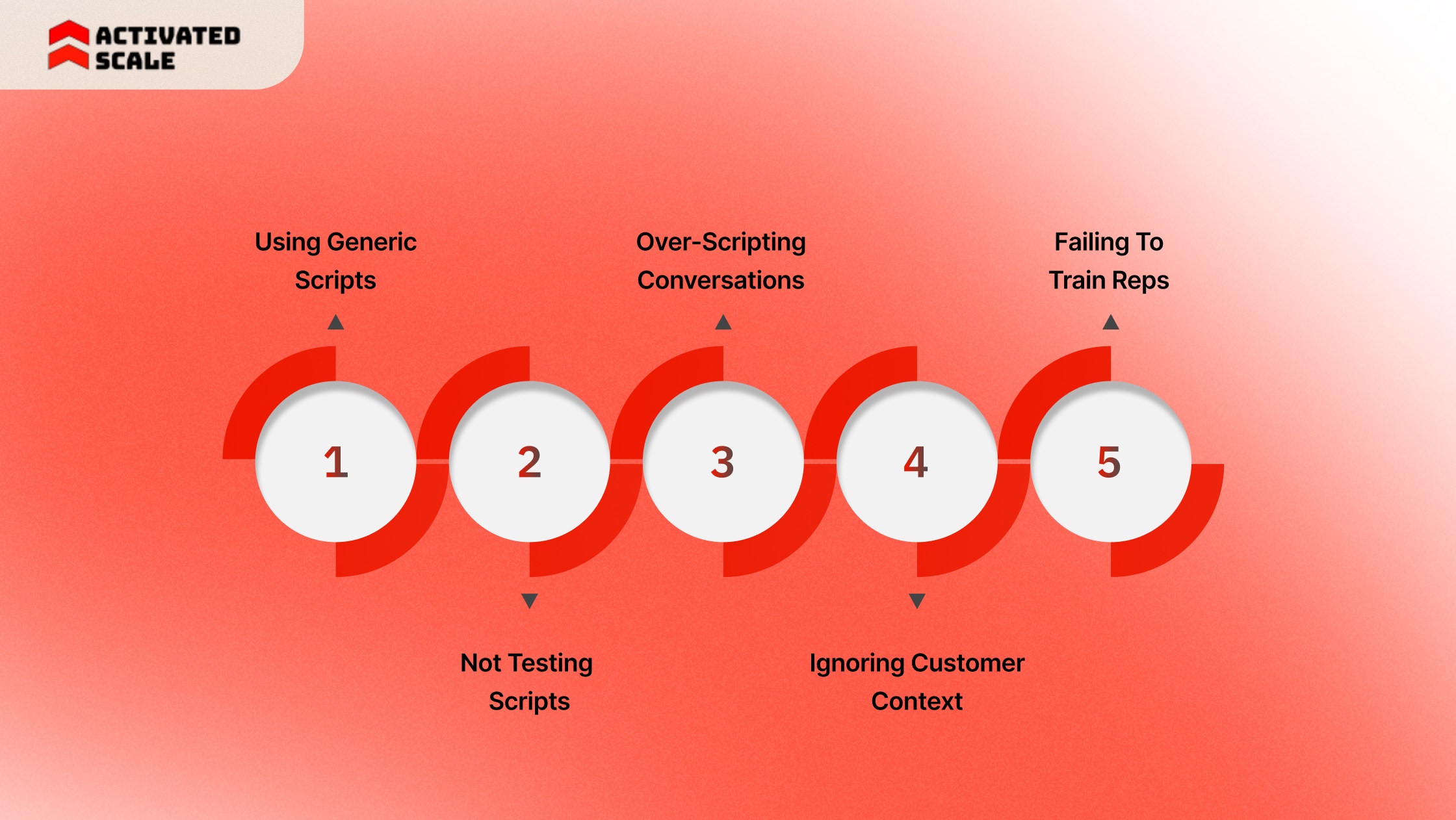
Here are the most common mistakes that reduce conversion:
1. Using Generic Scripts
Generic scripts sound the same as every other sales pitch. They focus on the product instead of the customer’s problem. Prospects lose interest quickly because the message feels irrelevant.
Strong scripts connect directly to the prospect’s role, industry, and priorities. This makes conversations more meaningful and increases engagement.
2. Not Testing Scripts
Many startups create one script and never improve it. They assume it works without measuring results. This limits conversion growth.
Testing different versions helps identify which script generates more meetings and closes. Small changes in wording can produce significant improvements.
3. Over-Scripting Conversations
Scripts should guide conversations, not control every word. Reps who follow scripts too strictly sound unnatural. This makes conversations feel forced.
Good reps use scripts as a framework. They listen, adapt, and respond based on the prospect’s answers.
4. Ignoring Customer Context
Scripts fail when they ignore the prospect’s situation. Using the same message for every lead reduces relevance.
Reps should adjust scripts based on:
- Industry
- Company size
- Problem urgency
This improves response and conversion rates.
5. Failing To Train Reps
Scripts alone do not improve performance. Reps need training to use them effectively in real conversations. Without proper coaching, reps often skip critical discovery questions, rush into pitching too early, or handle objections in a way that weakens buyer confidence. Over time, this leads to inconsistent messaging, lower conversion rates, and deals stalling unexpectedly.
Training helps reps understand the intent behind each part of the script, not just the words. They learn when to ask follow-up questions, how to adapt naturally based on buyer responses, and how to keep conversations focused on the prospect’s priorities. This is what turns scripts from static documents into repeatable sales outcomes.
However, building effective sales scripts is only part of the equation. Executing them consistently across a growing team requires the right structure, coaching, and sales talent. This is where Activated Scale helps startups turn proven scripts into repeatable revenue.
How Activated Scale Helps Startups Execute Sales Scripts Successfully
Sales scripts improve conversion only when teams execute them consistently. Most startups have strong messaging but lack the sales capacity to apply it across every lead. Follow-up slows down, qualification varies, and opportunities lose momentum. These gaps reduce conversion and pipeline growth.
Activated Scale helps startups solve this by providing vetted, U.S.-based SDRs, AEs, and sales leaders who execute scripts effectively. Instead of waiting through long hiring cycles, companies can deploy experienced sales professionals who improve outreach and deal progression.
Activated Scale supports sales script execution through flexible hiring models:
1. Contract-to-Hire Recruiting: Startups can deploy experienced SDRs or AEs who use structured scripts to qualify leads, run demos, and advance opportunities. This allows companies to validate conversion impact before making a full-time hire.
2. Fractional SDRs and AEs: Fractional sales professionals help startups maintain consistent outreach and follow-up. This ensures scripts translate into real meetings and a qualified pipeline.
They directly support:
- Faster response to inbound leads
- Higher meeting conversion rates
- More consistent opportunity creation
3. Fractional Sales Leadership: Activated Scale also provides experienced sales leaders who help improve script strategy, coach reps, and strengthen pipeline visibility. This ensures scripts are used effectively, and conversion improves over time.
Activated Scale does not create the scripts. It helps startups execute them. By providing flexible access to proven sales talent, Activated Scale enables companies to convert more conversations into revenue and scale growth with confidence.
Conclusion
Sales scripts bring structure to how conversations turn into revenue. Done right, they improve qualification, strengthen follow-up, and increase the number of deals that close. Instead of relying on more leads, startups can convert a higher percentage of the pipeline they already have and build more predictable growth.
Activated Scale helps startups execute these scripts by connecting them with vetted, U.S.-based SDRs, AEs, and sales leaders who improve outreach consistency, pipeline coverage, and deal progression. Through contract-to-hire and fractional models, companies can strengthen sales execution without committing to full-time hires too early.
Connect with Activated Scale to explore how experienced sales talent can help you execute proven scripts and turn more conversations into predictable revenue.
FAQs
1. How long does it take for a new sales script to show results?
Most startups see early performance signals within two to four weeks. This allows enough time to track meetings booked, reply rates, and pipeline created. Full conversion impact usually becomes clear after one full sales cycle.
2. What is the difference between a call script and an email script?
A call script helps reps guide live conversations and respond to objections in real time. An email script focuses on getting replies and starting the first interaction. Both serve different roles in moving prospects forward.
3. How do you know if a sales script is not working?
Low reply rates, fewer meetings, and stalled deals are common warning signs. These signals show the message is not connecting with prospects. Tracking these metrics helps teams decide when to improve scripts.
4. Can founders use sales scripts, or are they only for SDRs?
Founders often use sales scripts in early sales conversations. Scripts help them explain the product clearly and qualify opportunities faster. This improves early conversion and messaging consistency.
5. Where should sales scripts be stored for easy access?
Sales scripts should be stored where reps work daily, such as the CRM or sales engagement platform. This makes them easy to use during live outreach. Easy access improves consistency and adoption.
The Ultimate Guide to Hiring a Salesperson!
Get the step-by-step guide to hiring, onboarding, and ensuring success!